
Wyze Video Doorbell V2 Review: Features and Value
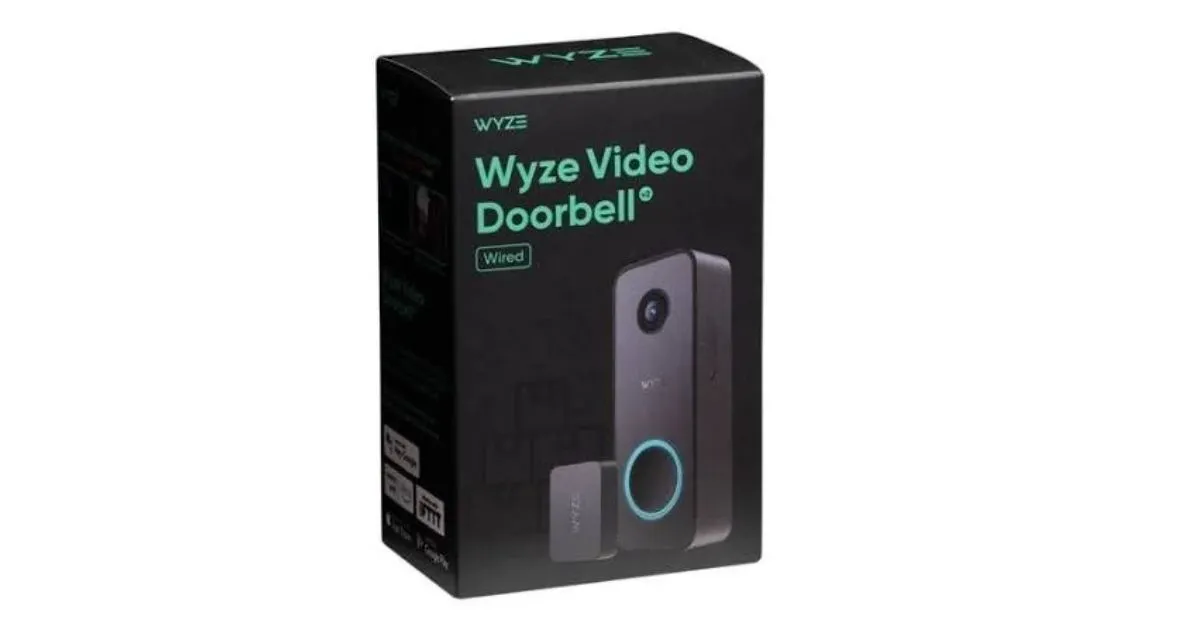
Table of Contents
Wyze Video Doorbell v2: At $59.98, this is a value-minded option if your entry suits a hardwired camera and its recording approach fits your needs. The Wyze Video Doorbell v2 adds front-door security and porch monitoring without a high starting price. Its IP65 rating means it resists dust and water, and it has a stated operating range of -4°F to 122°F (-20°C to 50°C).
The price makes it worth considering if you want a wired camera and can use its local or cloud recording options. It may be a poor fit if your doorbell circuit or existing chime cannot work with its setup. The rest of this review focuses on the practical checks that shape its value, from installation to storage.
For a sheltered entry, the weather rating may suit everyday outdoor use. But exposure can vary with the roof, wall, and direction of rain. Treat the weather rating as a useful specification, not a guarantee that every mounting location is protected from the elements.
Key Takeaways
- Listed at $59.98 as of 2026.
- Needs wired power, not batteries.
- Supports local recording with a microSD card.
- Some events need a paid license for full-length clips.
- Uses 2.4GHz Wi-Fi and compatible phones.
What should you check before installation?
Before mounting the unit, check that your doorbell circuit and physical chime match its wired setup. The hardwired doorbell installation needs a steady power supply, and chime fit depends on the type already in your home.
The doorbell needs 16V-24V AC power at 10VA or higher. It does not use batteries, so a suitable circuit must reach the mounting spot.
Power and transformer limits
Check the doorbell transformer requirements before you start work. A 16V-24V AC supply meets the stated range when it provides at least 10VA. A 16V 10VA transformer sits at the low end, where aging wiring or a worn transformer can affect operation.
A 16V 10VA transformer is at the minimum power level, so aging parts can affect how the doorbell runs.
If the unit does not work as expected, the circuit may need attention rather than a different camera setting. Do not assume the transformer rating alone proves that older wiring is in good shape.
Chime compatibility and included hardware
Mechanical chime compatibility covers most in-house mechanical chimes, but not every design. Custom, vintage, and high-end models may fail to work. Excluded types include battery-powered chimes, integrated chime systems, side-knocking round chimes, vintage long chimes, and chip-controlled chimes with “Computer” or “COM” terminals.
The included Chime Controller connects the doorbell to a compatible physical chime. The original Wyze Chime does not work with this model, and a wireless chime is not supported. You can use the doorbell without an in-house chime; Wyze still recommends fitting the included Chime Controller.
The box includes a 30° wedge, wall plate, installation kit, wire caps, extension wires, and screw kit. Those parts can help you angle the camera or fit the wires, but they do not make an incompatible chime work.
Photograph the existing chime connections before disconnecting wires so you can restore the original layout if needed.
How Does the Wyze Video Doorbell V2 Handle Video and Connectivity?
The camera uses a 2.4GHz connection, so check your network and phone before choosing its mounting spot. Its compact body measures 4.3 by 1.7 by 0.9 inches (110 by 44 by 24 millimeters), with a CMOS Starlight Sensor, F2.0 aperture, and six 940nm infrared lights.
It works only with 2.4GHz Wi-Fi using IEEE802.11 b/g/n. The camera records H.264 video and includes digital zoom. Those specs describe the hardware, but your setup also needs supported devices and services.
Wyze video doorbell v2 reviews should weigh device fit alongside camera features, especially if your home uses older phones. A black doorbell camera search also calls for checking the actual product appearance, since the listed specifications do not name a finish.
Check these three compatibility points before installing:
- 2.4GHz Wi-Fi with IEEE802.11 b/g/n.
- Alexa, Google Assistant, or IFTTT support.
- An Android 9.0+ or iOS 15.0+ phone.
This smart home camera works with Alexa, Google Assistant, and IFTTT, so you can connect it with supported systems. The 2.4GHz Wi-Fi doorbell will not use a 5GHz-only network for its connection. Confirm that the signal reaches the planned mounting location before drilling.
What gets recorded, and where is it stored?
The doorbell gives you different kinds of footage depending on whether someone presses the button, triggers motion, or causes another event. Event type controls whether you get a video clip or a snapshot.
A microSD card supports continuous local recording, while some event clips remain limited without a license. Motion-event pre-roll means video recorded just before a motion-triggered clip begins.
What the camera captures
When wired power is connected, motion events can include 3-6 seconds of pre-roll. A button press creates a 12-second video clip. An unexpected microSD card ejection also creates a 12-second clip, while other events generate a snapshot.
In a one-week test, a phone alert arrived with a slight delay after a button press. The doorbell still produced its button-press clip, so the alert timing and the recorded event are separate parts of the experience.
Doorbell camera night vision depends on nearby light. With enough light, such as a porch light, Color Night Vision can work in low-light conditions. When nearby light is too weak, the camera switches to black-and-white infrared video.
| Condition | Observed video | Practical consequence |
|---|---|---|
| Nearby porch light sufficient | Color Night Vision works in low light | Color remains available in those conditions |
| Insufficient nearby light | Black-and-white infrared video | Do not expect color in darker conditions |
| Fast-moving subject | Clipping and pixelation can occur | Quick motion may lose detail |
| Distant bright area | Overexposure can occur | Bright background areas may look washed out |
Fast movement sometimes showed clipping and pixelation during testing. Distant bright areas could also look overexposed, which may reduce detail against a bright background.
Local clips, card recording, and event limits
The doorbell accepts a microSD card up to 256GB in FAT32 format for continuous local recording. The card is not included; Wyze lists its 32GB card separately for $18.98. The card slot sits on the device’s side, where someone at the door could remove it.
Full-length event videos require Cam Plus or Cam Protect. The motion-warning voice prompt that tells visitors they are being recorded also needs one of those licenses.
Save any important event footage somewhere you can access independently rather than assuming one removable card is tamper-proof.
What do Wyze’s service plans add?
A paid plan is the route to full-length cloud events, while the right tier depends largely on how many cameras you cover. Coverage scope is the main difference between a single-camera plan and account-wide service.
Cam Plus covers one camera, while Cam Unlimited and Cam Unlimited Pro cover every camera on your account. These plans also add cloud history or recording, depending on the tier.
Per-camera coverage
Cam Plus costs $2.99 per month per camera or $29.99 per year per camera as of 2026. It includes 14-day cloud event history and person, vehicle, package, and pet detection. The plan can suit you if you want those features on just this doorbell.
Wyze Cam Plus is the individual-camera option; Cam Unlimited spreads coverage across the account. That difference matters if you own several cameras and want one plan to include them all.
Account-wide coverage and service terms
| Plan | Monthly price | Annual price | Coverage | Cloud history or recording |
|---|---|---|---|---|
| Cam Plus | $2.99 per camera | $29.99 per camera | One camera | 14-day cloud event history |
| Cam Unlimited | $9.99 | $99.99 | Every camera on the account | 14-day cloud event history |
| Cam Unlimited Pro | $19.99 | $199.99 | Every camera on the account | Up to 60-day cloud recording |
Cam Unlimited includes the same person, vehicle, package, and pet detection as Cam Plus, with account-wide coverage. Wyze Cam Unlimited Pro extends that coverage and includes up to 60-day cloud recording.
As of 2026, Wyze offers a 30-day free trial of its security plans. The plans have no contracts, and you can cancel anytime. Monthly billing gives you more room to change plans, while an annual term costs less than twelve monthly payments for each listed tier.
Choose an annual term only if you expect to keep the covered camera or account active for the year.
How does it compare with other wired doorbells?
The v2’s clearest advantage over the original Wyze wired model is its wider view and local storage option. For a wired upgrade, those changes matter more than the model number alone.
The v2 records at 2048 x 1536, compared with 1440 x 1080 on the original Wyze Video Doorbell (Wired). The v2 also has a 166.8° diagonal field of view, while the original has a 120° field of view.
Choose the v2 for a wider scene and a local storage option, not just for a newer model name.
The original Wyze Video Doorbell (Wired) stores footage in the cloud only. The v2 adds a microSD card slot, giving you a local recording choice without removing cloud service as an option.
Ring Video Doorbell records at 1080p and has a stated 155-degree field of view. The Wyze Video Doorbell v2 records at 2048 x 1536 and lists a 166.8-degree diagonal field of view. The measurements are not stated on the same basis, so the figures do not provide a direct like-for-like width comparison.
The v2 records at 20FPS by day and 15FPS at night. Its listed view is 135° horizontal, 103° vertical, and 166.8° diagonal. These separate figures help describe how much of the entry the camera can frame.
Match the field-of-view measurements carefully, since a diagonal figure is not the same measurement as an unqualified field-of-view figure.
Conclusion
If your wiring and recording preferences fit the v2, it offers a practical route to a locally stored wired doorbell camera. It makes the most sense when you want a hardwired setup and value having a card-based recording option.
If your home has an incompatible chime or you need a different recording setup, compare other wired doorbells before choosing. The best next step is a quick check of the transformer rating and your chime type.
Confirm your transformer and chime compatibility before placing the order.
FAQ
What should you check if your transformer is rated 16V 10VA?
A 16V 10VA transformer is at the low end of the required power range. Check the transformer and wiring condition, since aging parts can affect operation. The doorbell needs 16V-24V AC power at 10VA or higher. If the circuit is old or shows signs of wear, a qualified electrician can check it before you install the camera.
What does it cost to add local recording when you buy the doorbell?
The doorbell is listed at $59.98 as of 2026, and Wyze lists its 32GB microSD card separately for $18.98. That makes the listed camera-and-card total $78.96 before tax. You can also use another compatible card, up to 256GB, formatted as FAT32. The card is not included with the camera.
Will a button press still produce a clip if the phone alert is delayed?
Yes, a button press produces a 12-second video clip even if your phone alert arrives later. A one-week test reported a slight delay between the press and the alert. That delay concerns the phone notification, not the stated clip length. You can check the event recording in the app after it appears.
Can the motion-warning voice prompt be used without a license?
No, the motion-warning voice prompt requires a Cam Plus or Cam Protect license. The prompt tells visitors they are being recorded. It is separate from the camera’s basic motion capture, so having the doorbell detect movement does not by itself enable that spoken warning.
What do you need for full-length cloud event videos?
You need Cam Plus or Cam Protect for full-length event videos. As of 2026, Cam Plus costs $2.99 per month per camera or $29.99 per year per camera. It also includes 14-day cloud event history and person, vehicle, package, and pet detection. The card-based local recording option does not replace the license for full-length cloud events.
Which plan covers multiple cameras on one account?
Cam Unlimited and Cam Unlimited Pro cover every camera on one account. As of 2026, their annual prices are $99.99 and $199.99, respectively. Cam Unlimited includes 14-day cloud event history, while Cam Unlimited Pro includes up to 60-day cloud recording. Cam Plus applies to one camera, so it may cost more across a larger camera setup.