Wyze Video Doorbell V2 Security Camera: Features and Buying Guide
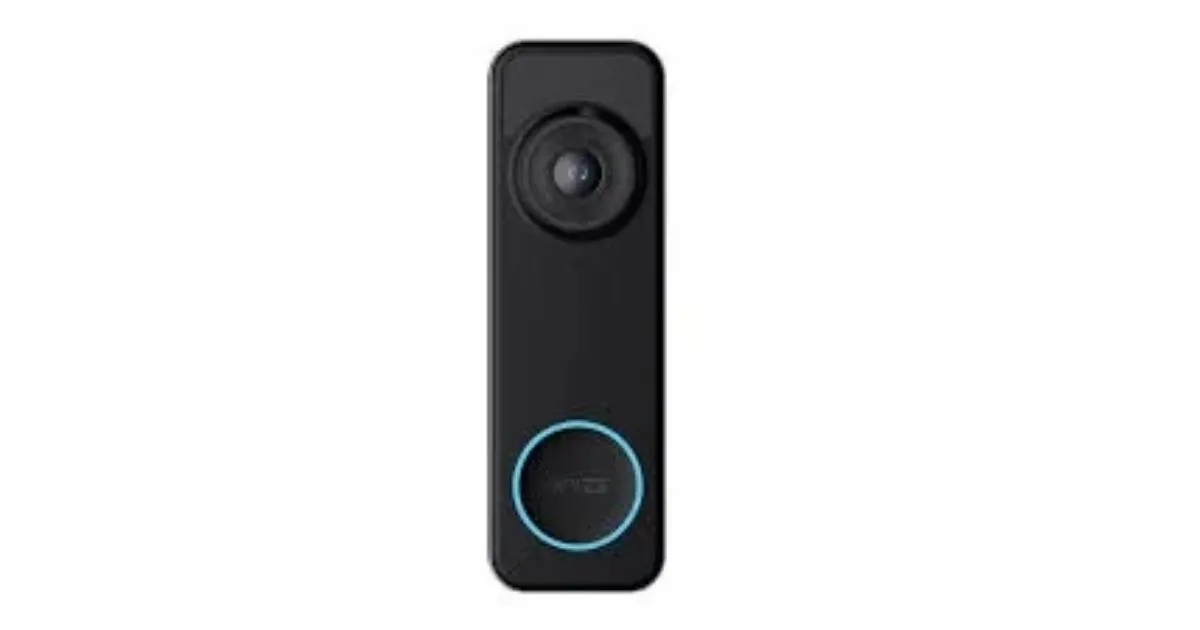
Table of Contents
The Wyze Video Doorbell v2 security camera is worth considering if you want a wired front-door camera and can work with its power and recording requirements. Your choice depends on the wiring already in place, whether local or cloud recording matters more, and how clearly the camera shows your porch. A sharp image on a product page does not tell you how a visitor will look in poor light.
Pre-roll is a short video segment recorded immediately before a motion event begins. Picture a homeowner who wants alerts when someone reaches the porch but would rather keep a working indoor chime. This guide helps you weigh that kind of practical need against the camera’s limits before you buy.
Key Takeaways
- Check your doorbell wiring before buying.
- Decide whether you need local recording, cloud history, or both.
- Test porch lighting and signal strength at the camera’s planned location.
- Confirm your indoor chime can work with the doorbell.
- Your choice should match the way you want to monitor your entry, not just the resolution printed on the box.
Wyze Video Doorbell V2 Security Camera: What It Offers
At 2K resolution, the camera records 2048 x 1536 video, with a wide horizontal view of 135°. The 2K resolution can show useful porch detail, while the 135° horizontal camera field of view covers a broad area from side to side.
Its U.S. listed price is $59.98 in 2026, a snapshot rather than a promise about future pricing. The camera field of view also measures 103° vertically and 166.8° diagonally, so the three numbers describe different angles of the same view.
Resolution cannot make a visitor clear if the camera’s angle misses the spot where that person stands.
Video resolution, frame rate, and field of view
The horizontal view helps cover a porch’s width, while the vertical view shows more or less of the ground and nearby wall. The diagonal figure measures the widest corner-to-corner angle, but it does not mean the image is equally wide in every direction.
The doorbell records at 20 frames per second during the day and 15 frames per second at night. A frame rate counts how many still images appear each second, so motion may look less smooth at night.
Those numbers give you a useful starting point, not a guarantee that faces or packages will appear clearly. Porch depth, mounting angle, nearby walls, and light can all change what the camera captures.
Size, weather rating, and network requirements
The housing measures 4.3 inches high, 1.7 inches wide, and 0.9 inches deep. Its metric size is 110 x 44 x 24 millimeters, which matters if your door trim leaves little room around the button.
The IP65 rating means the unit is built to resist dust and water exposure. It is rated for temperatures from -4°F to 122°F, or -20°C to 50°C.
For a connection, it uses 2.4 GHz Wi-Fi with IEEE 802.11 b/g/n. It does not connect through a 5 GHz Wi-Fi band, so check that your home network can reach the intended mounting spot.
Measure the mounting area before ordering, especially if narrow trim borders your existing doorbell position.
How to Check Your Wiring and Existing Chime
Before you remove your old button, confirm that your home has a wired mechanical doorbell circuit rather than relying on a battery setup. The product needs a hardwired installation, and a 16V-24V AC circuit rated for at least 10VA is required for power.
A compatible supply is only one part of a working mechanical doorbell circuit. Older wiring or a weak connection can affect operation, even when a transformer label appears to meet the minimum.
Verify the doorbell circuit
Use these checks before you begin installation:
- Confirm the existing circuit is wired and mechanical, not a battery-powered doorbell.
- Check the transformer label for 16V-24V AC and at least 10VA output.
- Look at the wiring condition and age, since either can affect reliable operation.
- Identify the indoor chime model before you connect the doorbell.
A 16V 10VA transformer sits at the lower end of the power supply range. That rating meets the stated threshold, but it does not show whether worn wires or poor connections will cause trouble.
Confirm the indoor chime will work
The doorbell works with most in-house mechanical chimes. Some custom, vintage, and high-end chime kits may not be compatible, so do not treat every wired chime as a standard model.
The included chime controller is meant to work with an existing in-house chime. It is a separate part from the original Wyze Chime, which does not work with this doorbell.
A common installation mistake is assuming the original Wyze Chime works because the camera carries the Wyze name. That chime and the included controller serve different setups, so identify which device you own before planning the indoor alert.
Keep the model name or a clear photo of the chime label handy when checking compatibility. If the chime has an unusual design, its name and wiring layout can help distinguish a standard mechanical unit from a specialty kit.
If you cannot verify the transformer rating or safely identify the chime wiring, have a qualified electrician check the circuit before connecting the camera.
How Recording, Storage, and Subscriptions Work
If you want continuous recording without depending on cloud event history, install a supported microSD card. A card enables local recording, and the doorbell supports cards up to 256G for 24/7 recording when a card is installed.
Local video and cloud event history are different features. A card stores continuous video at the device, while a subscription adds cloud event tools and history.
Local recording and event clips
These are the main outcomes for recorded events:
- A motion event gets 3-6 seconds of pre-roll when the doorbell is hardwired.
- A button press creates a 12-second video clip.
- Other events create a snapshot without a subscription that provides full-length event video.
- Motion Warning, a voice prompt telling visitors they are being recorded, requires Cam Plus or Cam Protect.
Without Cam Plus, motion recordings have a five-minute delay between them. Cam Plus enables back-to-back motion recordings, which can help when activity continues around the entry.
Compare Wyze cloud plans
Cam Plus adds package, person, pet, and vehicle smart motion detection for the doorbell. It also includes 14 days of cloud event history for one camera, with a $2.99 monthly price per camera or $2.49 per month with annual billing at $29.99 in 2026.
| Plan or option | Price | Camera coverage | Cloud history |
|---|---|---|---|
| Cam Plus | $2.99 monthly; $29.99 yearly | One camera | 14 days |
| Cam Unlimited | $9.99 monthly; $99.99 yearly | Every camera on the account | 14 days |
| Cam Unlimited Pro | $19.99 monthly; $199.99 yearly | Every camera on the account | Up to 60 days |
| Cloud 60 | $2.99 monthly per camera | Add-on for eligible Cam Plus or Cam Unlimited plans | Extends history from 14 to 60 days |
The monthly equivalent for yearly billing is $2.49 per camera with Cam Plus, $8.33 with Cam Unlimited, and $16.67 with Cam Unlimited Pro. Cloud 60 is included with Cam Unlimited Pro, rather than an extra charge for that plan.
Choose a cloud plan only when its event history or detection features address a need that local recording does not.
What to Know About Video Quality, Smart-Home Links, and Privacy
A sharp 2K image does not guarantee a clearly lit face when your porch is dim or overcast. The review rated the doorbell 3.5 out of 5, or “Good,” after reinstating that rating on May 5, 2026.
The video looked relatively sharp, but low-light performance was weak. A cloudy-day test did not clearly light the visitor, and the reviewer’s face appeared shadowed.
Do not count on sharp detail alone to make a face clear in dim or overcast light.
What the video looks like in different light
The camera records at a lower frame rate at night than during the day. At 15FPS, fast movement may look less smooth, while poor light can make it harder to see a face clearly.
A porch can look bright to you and still leave a visitor’s face in shadow. The reported cloudy-day result is a reminder to judge the view from the camera’s position, not from the doorway.
Connect services and secure your account
The doorbell supports Alexa, Google Assistant, and IFTTT integrations. These links may fit a home that already uses those services, but the useful functions depend on your setup.
Wyze uses TLS for event-video communication across its app, products, and AWS cloud services. TLS helps protect data as it moves between those systems.
AES 128-bit encryption protects live-stream and playback data. Wyze also requires two-factor authentication for all customers, with SMS or an authenticator app as the second check.
Before relying on alerts, test face visibility and Wi-Fi signal from the camera’s actual installed position.
Conclusion
Choose the Wyze Video Doorbell v2 if its wired setup and recording approach fit your home. It suits you best when you have a compatible circuit and want the option of local recording without relying only on cloud history.
Consider another camera if clear low-light video is essential for identifying visitors. A practical first step is to check your transformer label and identify your indoor chime model before placing your order.
FAQ
Is the Wyze Video Doorbell v2 a good choice for a porch with poor lighting?
Not if clear faces in poor light are your main need. The doorbell records at 15FPS at night, and a review found weak low-light performance. On a cloudy day, the visitor was not clearly illuminated, and the reviewer’s face looked shadowed. The 2K resolution can provide detail, but it cannot add light to a dark scene.
Can you use the doorbell for continuous recording without a monthly plan?
Yes, 24/7 continuous local recording works with a microSD card installed, without a monthly plan. The doorbell supports cards up to 256G. Local recording stores video on the card, while cloud event history and subscription features are separate. You can use the card for continuous recording without buying cloud history.
Which Wyze plan makes sense if you want package alerts and longer cloud history?
Cam Plus is the basic fit for package detection and 14 days of cloud history on one camera. Cloud 60 extends eligible Cam Plus or Cam Unlimited plans to 60 days for $2.99 per month per camera. Cam Unlimited Pro includes up to 60 days of cloud recording and covers every camera on the account.
Does the indoor chime controller mean you can keep the original Wyze Chime?
No, the included controller works with an existing in-house mechanical chime, but the original Wyze Chime is not compatible. The controller is not a replacement wireless chime. Before installation, identify whether your current indoor chime is a standard mechanical model or a specialty kit that may not work with the doorbell.
Is the listed 16V 10VA transformer rating a safe assumption for every installation?
No, 16V 10VA is at the lower end of the power supply range, not a guarantee for every setup. The circuit needs 16V-24V AC and at least 10VA. Wiring age and condition can affect operation, so check the transformer rating and the circuit before connecting the camera.
How can you protect doorbell video and account access?
Wyze uses TLS for event-video communications and AES 128-bit encryption for live-stream and playback data. It also requires two-factor authentication for all customers. You can receive the second sign-in check by SMS or use an authenticator app. Choose the method you can access reliably when signing in, especially if your phone number changes.