How Long Does a Ring Doorbell Battery Last? Models Compared
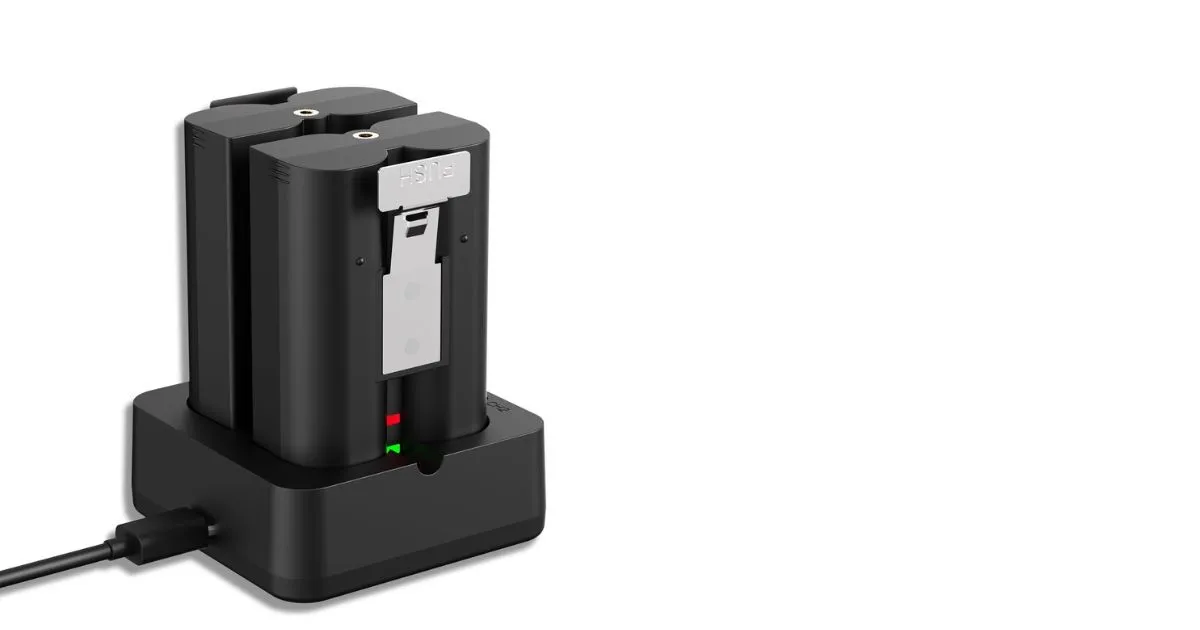
Table of Contents
How long does a Ring doorbell battery last? The answer depends on your doorbell model, how often it records activity, your settings, your Wi-Fi connection, and the weather. Battery life means the time a fully charged battery lasts before you need to recharge it. For home security, this affects how often you need to recharge your device and how much front-door monitoring remains available.
Use broad estimates as a starting point, then learn from your device’s own battery level and activity. A few days of use may not show a clear pattern. Your event history and charging dates can give you a better sense of what your home needs. Treat the first few weeks as a chance to learn how your household’s activity affects your own device.
Key Takeaways
- Battery life can range from weeks to months between charges.
- Frequent activity at your entrance can mean more charging.
- Model estimates are practical guides, not guarantees.
- Cold weather can shorten battery life for a time.
- Check exact model compatibility before buying a battery pack or Solar Charger.
How Long Does a Ring Doorbell Battery Last Across Models?
For a quick planning estimate, the listed models range from a few weeks under heavy use to several months under standard use. User-reported estimates are not guaranteed runtimes, and real results can differ by home.
The table compares common estimates for five models. The figures give you a useful starting point when asking how long does a ring doorbell battery last, but they do not promise a set number of weeks or months.
| Model | Standard use | Heavy use |
|---|---|---|
| Video Doorbell 3 | 1-3 months | 2-6 weeks |
| Video Doorbell 4 | 1-3 months | 2-4 weeks |
| Battery Doorbell Plus | 1-3 months | 2-4 weeks |
| Battery Doorbell Pro | 1-3 months | 2-4 weeks |
| Battery Doorbell (2nd Gen) | 1-4 months | 2-4 weeks |
The Ring Battery Doorbell has user-reported estimates of 1-3 months with standard use and 2-4 weeks with heavy use. That adds another model to consider when comparing how long does battery last on ring doorbell products.
Use these estimates to plan a check, not to set a guaranteed recharge date.
“Standard” and “heavy” use describe practical conditions, not settings shared by every household. The same model can fall into different ranges as its daily use changes. A model’s estimate is most helpful when you compare it with your own pattern over time.
When you compare Ring Battery Doorbell runtime estimates, check the precise name and generation on your device. Product names can look alike while pointing to different models, and similar names do not make their estimates interchangeable.
Use the model name printed for your device when comparing its estimate, since similar Ring model names can refer to different generations.
What Changes a Ring Doorbell’s Battery Runtime?
A doorbell that records and streams often will usually need recharging sooner than the same model at a quiet entrance. Repeated activity makes the battery work more often, so the time between charges can shrink.
Frequent Live Views, linked events, and motion events increase how often a battery-powered device needs recharging. Each Live View uses the camera to stream video when you check the entrance. Events can also trigger recording or other linked device activity.
Live View and event activity
Opening Live View several times each day adds camera use, even if nobody approaches the door. A high volume of linked events can add more activity when one Ring device triggers another. Motion events can also build up as people, cars, or pets pass through the camera’s view.
That does not mean every event has the same effect. A short clip and a longer stream are different kinds of activity, but repeated use can still change your charging pattern. Your recent event history gives you a more useful picture than one day alone.
Why busy entrances need more frequent charging
A door beside a busy sidewalk may detect frequent movement throughout the day. A shared entrance can see the same pattern as neighbors, guests, and delivery workers pass through. A doorbell in a quiet spot may record far fewer events.
One unusually active day tells you little about a lasting pattern. Look for repeated busy days and compare them with the dates you recharge. This helps separate a one-time rush from the activity your home sees most weeks.
Compare your recent event activity with your charging pattern before deciding that the battery itself is failing.
How Does Weather Affect Ring Battery Life?
Cold weather can shorten the time between charges even when the device remains within its stated operating range. Freezing conditions can also stop a battery-powered device from charging.
Ring battery-powered devices perform best around 75°F (25°C), and can operate normally from -4°F to 122°F (-20°C to 50°C) in 2026. Normal operation does not mean the battery will hold its usual charge in cold weather.
Cold temperatures and charging
Rechargeable batteries can drain faster in cold weather. Battery life may drop around freezing, and a battery-powered device stops charging below freezing. These are separate effects: the battery can lose runtime in cold conditions, while charging itself stops below the freezing point.
Performance can return to normal after the weather warms and you recharge the battery. A temporary drop during a cold spell does not prove that the pack has reached the end of its useful life.
Heat, shade, and battery age
Prolonged hot-weather exposure can shorten a battery’s overall lifetime. When you have a choice, install the device in a shaded area to limit direct heat. Shade cannot prevent every effect of hot weather, but it can reduce exposure at the mounting spot.
Age also matters. Rechargeable batteries may work less well after years of use, so a lasting decline can have a different cause than a brief cold spell. Look at how long the change lasts and whether warmer conditions improve it.
If cold weather has temporarily reduced performance, let the battery warm up before judging its longer-term condition.
How Do You Change and Recharge a Ring Doorbell Battery?
Before removing anything, confirm how your exact doorbell model releases its battery pack. Model-specific steps matter because covers and battery access can differ.
Use a power source rated for at least 1 amp, and allow up to 10 hours for charging. Before you start, check the charging connector and removal method for your exact model. Do not force a cable into a port or pull at a cover that will not release.
Removing and replacing the battery pack
Follow these steps to remove the depleted battery pack, charge it, and return it to the doorbell:
- Check the device-specific instructions for releasing the battery pack.
- Remove the battery pack using the method for your model.
- Charge it with a power source rated at least 1 amp.
- Reinstall the pack securely after charging.
Keep the pack steady as you connect its charging cable. If the connector does not fit, stop and check the model instructions instead of pushing harder. A cable that fits the port helps you avoid damage during a routine recharge.
Charging the pack safely
Ring battery-powered doorbells can take up to 10 hours to charge. The time can vary, so do not assume a short wait means the pack is ready. Check the device’s charging status before you put the pack back.
Stopping at about 90% can help the battery last longer. You do not need to treat a full charge as the only useful stopping point. Plan for the charging time when your doorbell can be without its battery.
Follow the model’s removal directions in reverse when you reinstall the pack. Check that it sits securely before you finish. Stop charging at about 90% when practical, rather than treating a full charge as necessary every time.
Which Settings Reduce Ring Battery Use?
Start with the part of your current setup that creates the most unwanted activity, not with every setting at once. Small changes can reduce avoidable battery use while keeping the view you need.
Keep the approach or doorway you care about inside your monitored area. Ring recommends these options for lowering battery use:
Adjust motion detection
- Lower Motion Sensitivity to reduce how readily the device detects movement.
- Refine Motion Zones to focus detection on the areas that matter.
- Set Motion Frequency to Regularly or Periodically.
Reduce unnecessary activity around the device
- Aim the device away from busy areas that do not need monitoring.
- Unlink Ring devices when their linked activity is unnecessary.
Motion Sensitivity and Motion Zones affect what the camera treats as relevant movement. Adjusting both can help avoid tracking activity outside your main approach. A sidewalk or a shared walkway may not need the same coverage as your front step.
Motion Frequency controls how often the device checks for movement after an event. Regularly or Periodically can limit repeat activity compared with a more frequent setting. Choose the option that fits your need to catch activity at your door.
Aiming the device away from a busy area can reduce unwanted detections without changing the whole setup. Unlinking devices can also help when one product does not need to trigger another. Make one change at a time, then see how it affects the activity you want recorded.
After each change, confirm that the entrance you care about still falls inside the area you want monitored.
Which Ring Battery Pack Fits Your Doorbell?
Check your exact doorbell model before choosing a pack, because the two Quick Release options do not share the same compatibility list. Generation matters as much as the product name.
The standard Quick Release Battery Pack has a 6040 mAh capacity and a Micro-USB charging port. Its listed compatible doorbells include Video Doorbell 2, Video Doorbell 3, Video Doorbell 3 Plus, Video Doorbell 4, Battery Doorbell Plus, Battery Doorbell 2K Plus (2nd Gen), Battery Doorbell Pro, and Battery Doorbell 4K Pro (2nd Gen).
Standard Quick Release Battery Pack
The standard pack’s full list names several doorbell generations. That list does not include every Ring camera or every newer doorbell. Use the exact model name to match your device with a supported pack.
Quick Release Ultra Battery Pack
The Quick Release Ultra Battery Pack has a 10,000 mAh capacity and a USB-C port. It offers up to 67% more battery capacity than the standard pack. Its compatible devices are Battery Doorbell 2K Plus (2nd Gen), Battery Doorbell 4K Pro (2nd Gen), and Spotlight Cam 2K (2nd Gen).
| Device | Quick Release Battery Pack | Quick Release Ultra Battery Pack |
|---|---|---|
| Battery Doorbell 2K Plus (2nd Gen) | Compatible | Compatible |
| Battery Doorbell 4K Pro (2nd Gen) | Compatible | Compatible |
| Spotlight Cam 2K (2nd Gen) | Not listed | Compatible |
Both packs fit the two doorbell generations shown as compatible in the table, but the Ultra option also lists one camera. Higher capacity can mean more time between charges, though your device’s use still affects runtime.
The Quick Release Ultra Battery Pack does not work with the Ring Charging Station. Its USB-C port also differs from the standard pack’s Micro-USB connector, so the packs do not share the same charging cable.
Confirm both the generation and the charging accessory before buying a replacement or spare.
Can a Solar Charger Extend Ring Doorbell Battery Life?
A Solar Charger can reduce how often you remove a compatible doorbell battery pack, provided the installation site gets reliable direct sunlight. Sunlight matters for the accessory to help.
Ring’s Solar Charger works with Battery Doorbell 2K (2nd Gen), Battery Doorbell 2K Plus (2nd Gen), and Battery Doorbell 4K Pro (2nd Gen). It has a 0.76W solar power rating and connects through a fork connector or USB-C with an adapter.
Ring recommends ample direct sunlight each day. In the Northern Hemisphere, a south-facing installation is recommended for best results. A spot that stays shaded for much of the day is less likely to meet that guidance.
The Solar Charger has an operating temperature range of -5°F to 120°F (-20.5°C to 48.5°C). That range applies to the accessory, not to Ring battery-powered devices as a whole. The doorbell and Solar Charger have separate temperature limits.
Check the mounting spot at different times of day before you choose it. Direct sun can shift as shadows move across a porch or wall. A location with steady exposure is more likely to support solar charging than a spot that gets only brief sun.
The Solar Charger can support a compatible device, but it does not make every installation a good fit. Confirm that the doorbell generation matches the accessory and that the site receives the needed sunlight. Check the device generation and the amount of daily sun at the mounting spot before planning a solar installation.
What Should You Check When a Ring Battery Drains Fast?
If your battery starts draining faster than usual, first check whether the change is sudden or part of a longer pattern. A sudden drop calls for a closer look before you replace anything.
A weak Wi-Fi connection can use more battery when the device repeatedly disconnects and reconnects. Check these three things in order:
- Review the battery level in the Ring app.
- Check whether Wi-Fi is weak or keeps reconnecting.
- Compare the drop with recent changes in use or conditions.
The Ring app shows your device’s battery level, which gives you a starting point for checking the change. Compare that reading with your recent routine instead of relying on memory alone.
A device that repeatedly loses and restores its Wi-Fi connection can use more power. A recent change in activity or conditions may also explain a faster drop. Look for a pattern that lines up with the timing of the change.
A fast drop does not by itself prove that the battery pack needs replacing.
If the checks do not explain the drain, compare performance again after the connection and recent usage are stable.
Conclusion
The most useful runtime estimate is the one that matches your model and your household’s actual activity. Your own pattern gives you a better charging plan than a broad estimate alone.
Your recharge routine depends on the model, use, and conditions around your entrance. Check compatibility before adding or replacing a battery pack, since the right fit depends on the exact device generation.
Track a battery reading and the date you recharge. That simple record can show whether a change is temporary or part of a lasting shift. Open the Ring app, note your device model and current battery level, and use that baseline to plan your next check.
FAQ
How often should you check a Ring doorbell battery level?
Check the battery level regularly when you first install or adjust the device, then choose a routine based on the drain you observe. You might check more often during the first few weeks, since that gives you a starting pattern. If the level stays steady, you can check less often. Look again after a major change to your device or its use.
Can you use two Ring battery packs to avoid downtime?
Yes, a compatible spare can be charged while the installed pack powers your doorbell. Swap the charged pack in when the active one needs recharging, which can reduce the time your doorbell is without power. Confirm that the spare fits your exact model and generation first. Ring battery packs do not all share the same compatibility list or charging connector.
Does a higher-capacity Ring battery pack always last longer?
No, higher capacity does not guarantee a longer runtime in every home. It can give a compatible device more stored power, but frequent events, connection problems, and conditions still affect how quickly the battery drains. A higher-capacity pack also needs to fit your exact model. Check compatibility before you choose one, rather than comparing capacity alone.
Will a Ring Solar Charger work on a shaded porch?
A shaded porch is unlikely to provide the ample direct sunlight Ring recommends each day. The Solar Charger may receive too little sun at a spot that stays shaded, limiting its help. Check the area through the day, since shadows can move across a porch. A south-facing position is recommended for best results in the Northern Hemisphere.
Do Ring rechargeable batteries need to be completely drained before charging?
No, you do not need to wait until a Ring rechargeable battery is empty before charging it. Recharge the pack when it suits your routine and the device’s battery level. Waiting for a full drain is not required. If practical, stopping at about 90% can help the battery last longer, rather than charging fully each time.
Can you use a USB-C cable with every Quick Release battery pack?
No, the standard Quick Release Battery Pack uses Micro-USB, while the Quick Release Ultra Battery Pack uses USB-C. The connectors are different, so one cable does not fit both packs. Check the connector on your exact battery before charging. The Ultra pack also does not work with the Ring Charging Station.